 By coolyou
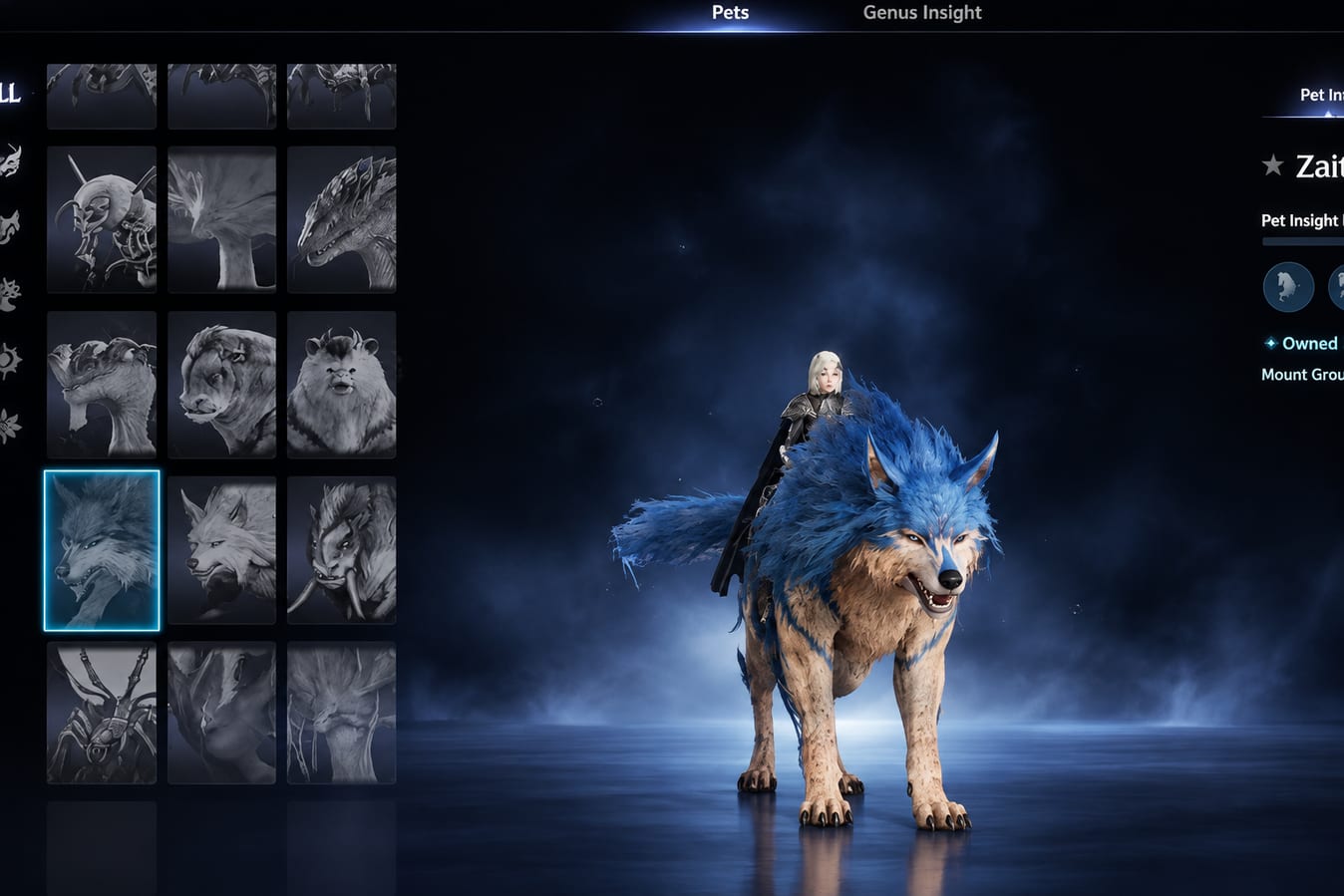
Pets and mounts add a personal touch to your character and support exploration across the world of Aion 2. Before setting out, check your pet list and choose a companion you have unlocked. Read its in-game details to confirm its listed functions, since abilities and requirements can differ between pets and may change with updates.
For a planned exploration session, choose a destination, check your route, and prepare the resources needed for your next character goal. If buy Aion 2 Kinah is part of that plan, connect it to a specific, confirmed in-game expense and follow the current transaction rules for your server.
Choosing a Pet or Mount
Start with the information shown in the pet menu. Confirm whether a companion can be used as a mount, how to summon it, and whether any restrictions apply in the area or activity you plan to enter. Appearance can guide your preference, but the pet’s listed details should guide your expectations.
Use this checklist before committing resources:
- Ownership: Confirm whether the pet is already in your collection.
- Function: Check what the current game description says it can do.
- Requirements: Review any listed conditions for obtaining or progressing it.
- Availability: Follow the acquisition details shown in your game version.
Avoid assuming that every pet shares the same features. If a guide or screenshot conflicts with the current in-game description, rely on the live interface.
Preparing for Exploration
A mount can make travel feel more convenient, but a little preparation still helps. Before leaving town, equip a pet you can use, open the map, and mark the areas you want to visit. Keep an eye on terrain and on-screen prompts, which can indicate when a mount cannot be used.
For a longer outing, check your inventory and make room for items you expect to collect. This is especially useful when your route includes several points of interest, since returning to town to reorganize can interrupt the trip.
A short pre-trip checklist
- Select an unlocked pet and confirm its mount function in the game.
- Check the map and choose a clear exploration goal.
- Review your inventory space and planned supplies.
- Follow area prompts if mounting is restricted.
Making Steady Collection Progress
A collection goal is easier to manage when you focus on one pet at a time. Open the collection interface, choose a missing entry, and check the acquisition method and requirements shown there. Once you obtain a pet, revisit the menu to confirm its collection status.
If the game displays pet progression requirements, use those details to plan your next activity. Do not assume that one pet’s requirements apply to another. Collection systems and acquisition methods can differ, and older guides may describe a version that no longer matches your client.
Budgeting for Pet and Character Progression
Set a resource limit before working toward a pet-related goal. Check which currency or materials the game lists for the action you plan to take, then decide how much of your available budget to reserve. Keeping pet collection in balance with equipment upgrades makes it easier to continue both without losing track of your priorities.
When cheap Aion 2 Items fit into a specific collection or character progression plan, verify the item’s name and listed use in game before counting it as part of your preparation. For example, review the requirements for the pet-related step you intend to complete, then gather the confirmed materials or items that match those requirements.
Common Mistakes to Avoid
- Assuming every pet has the same function: Check each companion’s description.
- Spending before checking requirements: Confirm the current conditions in the game interface.
- Relying on outdated information: Recheck acquisition methods after updates.
- Ignoring area restrictions: Follow the prompts shown in the current location.
- Collecting without a clear goal: Choose a pet or exploration target that fits your current plans.
Before your next trip, confirm which pet you own, where you intend to go, and what the game lists for your collection goal. That simple check keeps pet collection, travel, and character progression connected to the systems available in your current version of Aion 2.